
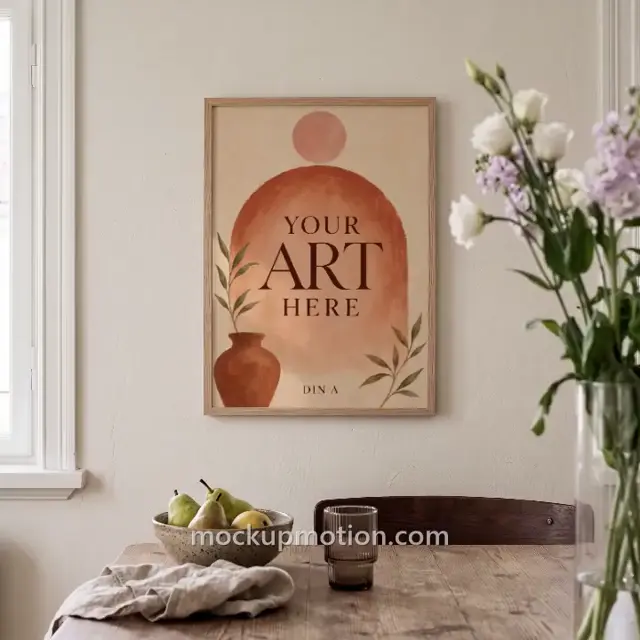




Why add a video to your Etsy listing
Etsy lets you add short videos to a listing, and says they give shoppers a better idea of your products and “can also help improve how your listings appear in Etsy search.”
Filming every product takes time, and it is impossible if you sell print-on-demand items or digital designs you don’t keep on hand. A video mockup gives you a real, moving scene with your artwork already tracked into it.
How it works
- Pick a sceneChoose one that shows your kind of product.
- Add your designUse a PNG, JPEG or WebP image, and adjust its position.
- Export an MP4Render it in your browser, then upload it in the Photo and video section of your listing.
Guides for Etsy sellers
- How to make an Etsy listing video without filmingYou don’t need a camera or a finished product in hand. Here is how to turn a design into a short listing video with a video mockup.
- Etsy listing video requirements and checklistThe limits your video has to meet before you upload it to an Etsy listing, and a quick checklist to run first.
- Video vs photo mockups: what to use on EtsyThey do different jobs. Most listings benefit from both, so here is how to decide what each one should show.
Questions from Etsy sellers
Can I use these videos in my Etsy listings?
Yes. Videos you export from a template in your library can be used commercially, including in your own shop listings, social posts and ads.
Do I need a finished product or a camera?
No. Each scene is already filmed and tracked, so you only need your design as a PNG, JPEG or WebP image.
Is my artwork uploaded anywhere?
No. Your artwork is placed and your video is rendered in your own browser, so your files stay on your device.
MockupMotion is an independent tool and is not affiliated with or endorsed by Etsy, Inc. Etsy is a trademark of Etsy, Inc.